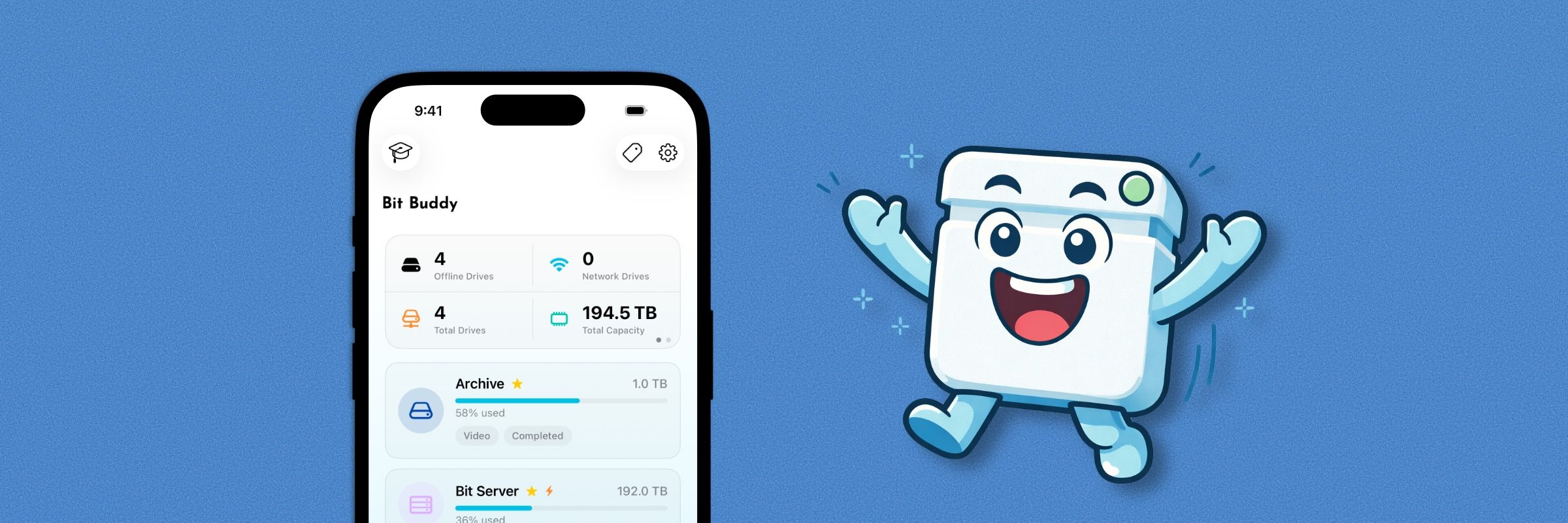
When Bit Buddy was first released, it was nothing more than a simple device logger and list. There were fields to enter extra information about each drive, but everything was limited. Subsequent versions brought various features to Bit Buddy, like Tips, SD Card Pool, Cloud Providers, Widgets, and more. Bit Buddy 2 brought about the biggest change, with a complete redesign to every corner of the app. Today, Bit Buddy 3 takes what was previously the "biggest upgrade ever," in Bit Buddy 2, and takes it a different level.
A Complete Redesign (again)
This version of Bit Buddy has been thoughtfully redesigned from the ground up to feel more inviting, engaging, and insightful than ever before. The new onboarding flow presents new users with information on how to use Bit Buddy, as well as helpful pointers for quickly adding their first device.
Enter Bit Buddy, and you'll be greeted with a familiar view, but also different. The dashboard has been reworked, with Stats Widgets getting a major facelift, receiving fresh icons, colors, and widgets. The Storage Usage widget has also been redesigned to provide more accurate, glanceable information.
Look down and you'll see the redesigned Device List, complete with colored icons, detailed information, and updated List Styles. The same can be said for SD Card Pool, which also receives a facelift and new styles. Other views, like Settings and Tips, have also been redesigned to feel better designed for any screen.
Adding and editing devices also receives a new look, but it's not just visuals in this view. Alongside the redesign come new features like Scan Connected Drive or Auto Add, Capacity Suggestions, AI Name Suggestions, No Storage Option, multi Content Type, TB-format support, and additional icons/colors.
Auto Add is a new feature that allows users with a compatible device (iPhone 15 Pro or later) to automatically import their external SSD/HDD's metadata when connected and adding a device. File contents are not read when using Auto Add, and the only information imported is Volume Name, Capacity, and Usage.
iCloud Sync
Bit Buddy 3 also features iCloud Sync. When enabled, your devices will be accessible across your Apple devices. Due to the sensitive nature of the content saved within Bit Buddy, certain fields such as, File Details, Additional Notes, Usage, Location, and Status, are not synced with iCloud. This is to protect your information and to prevent unintended access to sensitive information, which would otherwise be accessible to One Thirteen. More information about iCloud Sync in Bit Buddy can be found in Bit Buddy's Privacy Policy.
AI Analysis & Collection Health
Take advantage of the latest technology with AI drive analysis and Collection Health in Bit Buddy. When enabled, Bit Buddy will analyze your collection using Apple's on-device Foundation Model (if compatible), or a cloud model. Information about data collection regarding AI can be found in Bit Buddy, or by reading Bit Buddy's Privacy Policy.
Collection Health works by analyzing your entire device collection, maintenance schedule, cloud providers, and notes to provide an in-depth analysis of your collection, where there are gaps, and where to dedicate time. Collection Health can be found within Stats Widgets in the dashboard. Information about data collection regarding AI can be found in Bit Buddy, or by reading Bit Buddy's Privacy Policy.
Home Screen Widgets, Cloud Providers, & Tip Guides
In addition to being redesigned, Home Screen widgets are now configurable, allowing the option to tailor your Bit Buddy widget however you'd like. Additional Cloud Providers have also been added.
Tip Guides have also been updated, with AI-generated Tips and a curated selection of suggested reading available. Tips also now link to the One Thirteen website instead of being bundled with the app to reduce the final size of the app.
In-app Feedback Board
Rounding off this update is the inclusion of a feedback board, which allows users to submit feature requests, bugs, and any other comment they have when using Bit Buddy. A UserJot account is required to leave feedback, but the accounts are entirely free and can be deleted at any time.
Housekeeping
As with every update, this version of Bit Buddy saw a significant amount of bugs and other optimizations applied (over 50!).
Wrapping Up
That's Bit Buddy 3. Without question the biggest update to Bit Buddy, this version brings countless quality-of-life features, improvements, and even a feature that was on my "bucket list" of features to add.
Bit Buddy, and this update, is available on the Apple App Store now. Download here.
Until next time, Happy logging!