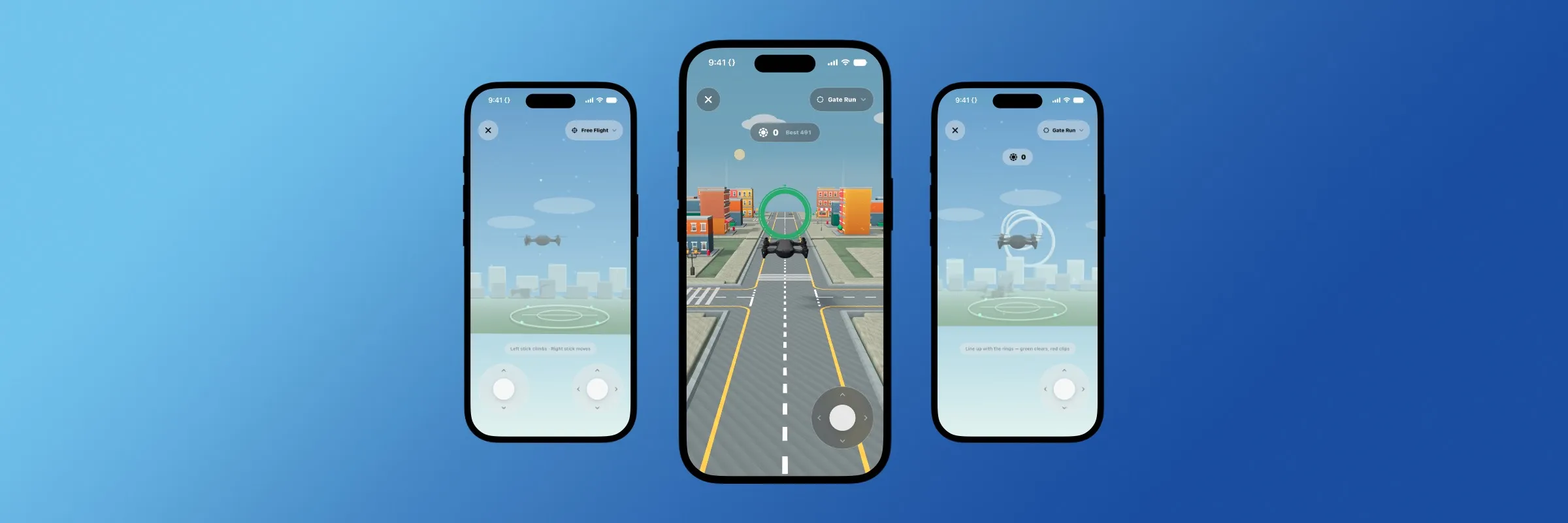
I sound like a broken record, but when it was early in Flyby's development process, there weren't any 3D or mini-games to speak of. The app was just like all of our others before it: text-based, information dense, and relying on you, the user, to fill it with useful data. I can't explain why I thought of it, but during development one night, I pictured tapping into a window to reveal a 3D world. That one decision is responsible for the defining characteristic of Flyby, but it wasn't as easy to achieve as I hoped.
The Initial Design versus Where it Landed
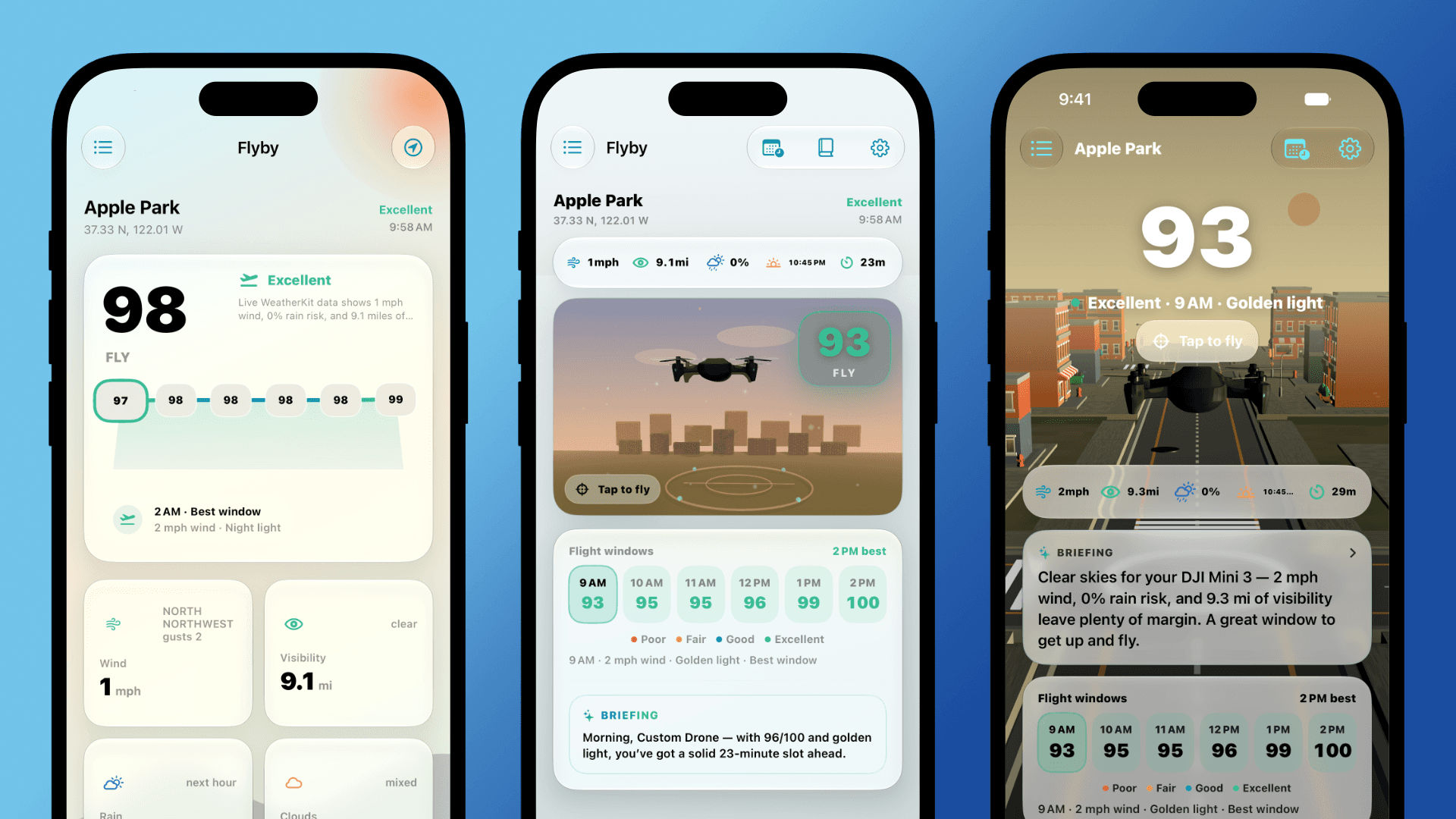
My original concept/idea for Flyby's 3D features was something similar to those experiences where tapping a button "zooms" you into the world, like one of those travel videos from 2017. From the start, it was clear that the process of creating the world, actually having something to tap into, would be the easy part. The tricky part came from implementing the experience into the dashboard. The original window concept worked, but it resulted in a lot of extra space being eaten by the window. The smaller the window, the cheaper the effect felt, and going any larger meant adding additional scrolls to the dashboard, which is something I didn't want to do. So the decision was made to incorporate Flyby's 3D views into the dashboard, rather than limiting the majority of the view behind the window. The result was mind-blowing the first time it ran on a real device. Stunning, one could say.
The Technical Challenges
Once the design landed, the next hurdle became performance, and this marked the point when Flyby became more of a learning experience than a building experience. Prior to Flyby, as I said, all of my apps were heavily text-based. Nothing was ever too computationally intensive, so it was never something I truly needed to worry about. Once Flyby's 3D world encroached into the dashboard, every interaction within the app crawled to a halt. Switching between tabs became a slow crawl, and scrolling was choppier than the ocean during a storm. It was clear that something was wrong, but I had no clue what. After days of endlessly trying anything to limit the performance drops, from dropping the render quality, to only loading parts of the world at a time. Nothing seemed to work. I was, for all intents and purposes, stuck.
Then, one day, I was working on the 3D scenes a bit and I decided to profile the build using Apple's Instruments app. Sure enough, the moment the test finished processing, I found the culprit. The app was rendering the full 3D scene behind every single view within the app. Going to view charts? The 3D scene was rendered. Viewing the sunset times? The 3D scene was rendered. Going into Settings to adjust your Pilot Profile? The 3D scene was...you get the idea. I suspected that a rogue animation or sound asset was being caught somewhere, but never that the 3D scene was endlessly rendering. Once I was able to adequately stop the world rendering from happening across non-dashboard and 3D views, the next challenge became the actual world performance.
World Performance
The 3D world of Flyby has taken many forms throughout its development process, but the one that ultimately landed is somewhat of a cross between a procedurally generated world and a curated one. Seeing as how I'm not an artist, all of the assets are from Itch.io and their respective creators/artists (linked below). Again, getting the buildings into place and lined up wasn't the hard part. The hard part was getting them to work performantly across devices and power modes.
The part that took the longest, by far, was Low Power Mode. In early versions of Flyby, a device in Low Power Mode would experience a very degraded experience across all flight modes, not just Free Flight. This meant that players would have a competitive edge in modes like Gate Run and Touchdown, but more importantly, it made the experience feel sloppy and like an afterthought. The 3D experience is, of course, not an afterthought, but it also isn't the main purpose of the app either. Through many trials and errors, the performance managed to settle to a reasonable level, but nothing is ever perfect/finished, and I suspect more work to be done over the next few weeks to really hone the performance and optimize it for more devices.
Worth all the Effort
In the end, I couldn't be happier with the look and feel of Flyby's 3D world. Seeing it now compared to the early versions is truly a "wow" moment for me. That said, it isn't perfect and I know there is still a lot of work to be done to enhance the world and make it feel even more lived in and alive, like animating characters, more variation in the topography and weather, and much, much more.
There's still a lot more to Flyby's development I want to cover, from actually finishing and completing feature implementations to submitting to the App Store/Devpost. If that sounds like something you're interested in, be sure to stay locked on our blog and social media!
Until next time, Nick out.