
It takes a lot to be able to admit something about yourself, and I can confidently admit that I jump the gun pretty frequently. The most recent example of this would probably be Moneyminder where I decided to announce that it was almost ready and it's been almost two years since then. This post, however, is not one of those. In fact, this post is pretty much a formality.
Why?
It shouldn't come as any surprise, especially given my past articles on the topic, but I'm very much a smart home aficionado. I enjoy tinkering with that kind of stuff, but I always find myself needing to reset devices, and more often than not, I don't have the setup code anymore. So it turns into a painstaking process of figuring out where the device is, getting into a point where I can scan the QR code or see the printed out code on the actual device, and then go about resetting it, if it works. Cribbo was built to solve that in a way that doesn't require you to have a subscription or pay for an upgrade or anything like that. It's a one and done, $1.99 and that's it.
The Features
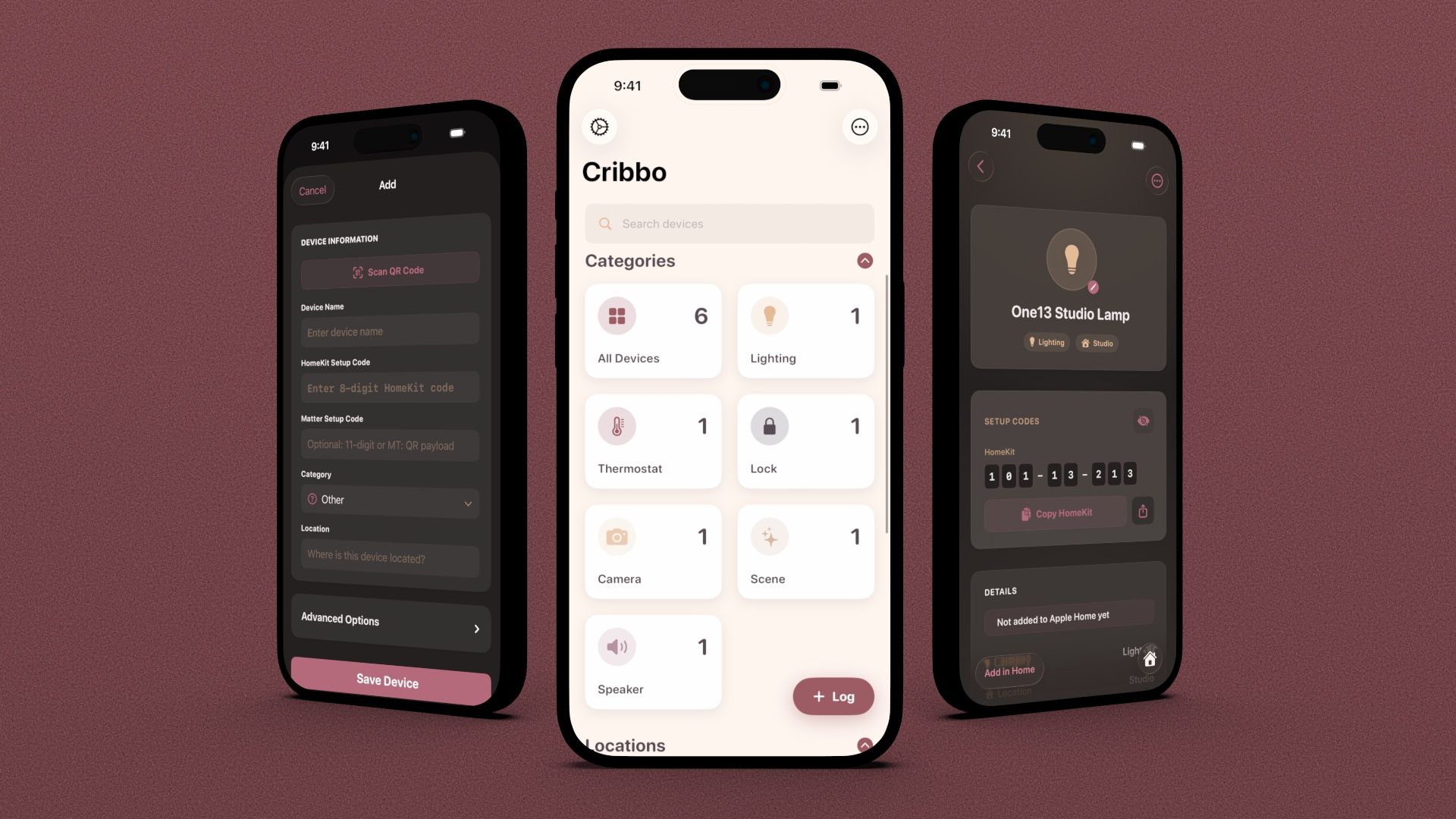
Cribbo has every feature that you would expect a modern HomeKit code logger to have. QR code support, Matter code support, icon support, HomeKit importing, you name it, Cribbo has it. The most interesting feature and the one that I'm the most proud of is the encrypted export feature, which allows you to export your devices in an encrypted fashion, complete with a passphrase. That passphrase is the only way that you can import your devices into another app or into another version of Cribbo.
It was really important when I was designing and developing Cribbo that your codes remain portable. Sometimes things change and maybe Cribbo isn't around in the future, or maybe Cribbo isn't the app for you, but another app is. Like I said, I know the struggle of having to type in these codes over and over and over and over again, so being able to just import your codes into whatever app you go to or import them straight into Cribbo from whatever app you're coming from, I think is a great quality of life feature. Cribbo also supports regular device importing and exporting, so you're not locked to only encrypted options.
Alongside device management functions, Cribbo also has some basic HomeKit functionality built in. For devices that are supported, you can turn them on and off, as well as identify devices for troubleshooting or updates. Cribbo also includes a step-by-step importing guide for those who are just getting started with Smart Homes and don't know where to start. Cribbo can copy your setup code to your clipboard, open up the Home app, and initiate the Add process.
Other features include analytics tracking, which remains anonymous like it doesn't across all of One Thirteen's apps, as well as alternate icon support, allowing you to choose between a custom set of icons that are handcrafted for Cribbo.
That's the windup and the pitch
Cribbo was designed, again, to solve a problem that I currently face. I can't say that this is an app for everyone, but if you're like me and you like to tinker with smart home tech, and you're constantly finding yourself needing to re-enter smart home codes or reset devices, I think Cribbo would be really beneficial for you.
Cribbo is currently going through the submission process and will be available to download in the coming weeks. Be sure to follow One Thirteen on social media to stay updated on the latest surrounding Cribbo, and all of our apps.